X Close

Digital Education team blog

Home

Ideas and reflections from UCL's Digital Education team

Menu

Double Marking in Moodle – Launching Soon for 2025/26 Term 2 and Term 3 

By Eliot Hoving, on 17 November 2025

The Digital Learning Environment (DLE) team is currently developing a new double marking tool for UCL Moodle, with an expected release in December 2025. The marking tool, called “Coursework”, is designed to support complex marking workflows, especially double marking, all within the Moodle platform.  

We are pleased to share an overview of the key features of the forthcoming Coursework double marking tool, which may be of interest as you plan assessments for Term 2 and Term 3. 

Double marking 

The Coursework tool enables markers to complete their marking independently, eliminating the need for multiple inboxes or external spreadsheets. As one user who helped pilot to the tool noted, “Finally, we have an option for blind second marking.” 

Marking workflows can be configured as either: 

  • Open marking – where marks and feedback are visible between markers. 
  • Blind marking – where each marker’s input remains hidden until both have submitted their marking. 

The Coursework tool maintains a comprehensive marking history, including first marks, second marks, and the final agreed mark. This history is accessible to external examiners for review and audit purposes. 

Markers retain control over what is released to students, with the option to share either all marking or only the final agreed mark. 

In cases where consensus cannot be reached between two markers, a third marker may be added to provide an additional independent mark. 

Candidate number anonymisation 

Coursework introduces the use of Candidate Numbers for anonymising student identities and submissions. This long-awaited feature will now be available within UCL Moodle, making it easier to manage assessments whilst maintaining compliance with UCL policies. 

Marking features

Coursework incorporates several time-saving features to support markers whilst giving them full control over what feedback they return to students. 

  • Mark suggestions: Based on UCL academic policy, the tool will suggest a final agreed mark if the first and second marks are within 10% and do not cross classification boundaries. This suggested mark can be manually adjusted if necessary. 
  • General feedback: Option to release cohort-wide feedback independently of individual student feedback. 
  • Flexible marker allocation: Markers can be assigned manually, via spreadsheet upload, or distributed evenly across submissions. 

Suitable assessment types 

Coursework is particularly well-suited for: 

  • Dissertations 
  • Research proposals 
  • High-stakes coursework requiring documented double marking 

It may also be used for: 

  • Essays 
  • Reports 
  • Other written coursework 

While Coursework offers comparable functionality to Moodle Assignment and Turnitin, its key advantage lies in its support for independent double marking. It can also accommodate single marking workflows, and moderation workflows. 

Further information and engagement 

For questions, feedback, or to request an early demonstration, please contact the Digital Learning Environment Team via MyServices. 

To stay informed about Moodle developments: 

  • Subscribe to the Digital Education blog 

Anthology Ally’s AI Alternative Text Assistant has been enabled on UCL Moodle

By Kerry, on 29 October 2025

To support academic and course administration staff with creating accessible content on Moodle, Ally’s AI Alt Text Assistant has been enabled on UCL Moodle.  An ‘Auto-generate description’ option is now available in the Instructor Feedback panel for ‘Images without a description’, providing a suggestion of a possible alternative description. Instructors will remain in control to review these.

The Digital Accessibility Team recently completed testing on the tool and were impressed.  They think that this AI assistant will be beneficial for staff wishing to improve the accessibility of their Moodle courses as it provides a head start on writing image descriptions and will save time as well as improving the overall student experience.

The tool uses the latest Claude Sonnet 3.5 model from AWS Bedrock to tackle more complex images—including STEM diagrams, charts, graphs, images with embedded text, even handwritten notes.

You can review, tweak, or rewrite the suggestions as needed and nothing gets saved or made available to students until you say so. Anthology advise that this is central to their “human-first approach to AI: making sure the content stays accurate and useful.” 

Screen shot of AI Alt Text Assistant being used for the image of a bar chart.

Screen shot of AI Alt Text Assistant being used for the image of a bar chart.

In addition, as part of Anthology’s Trustworthy AI Approach, this feature and underlying service work to maintain user trust and ensure data privacy by not utilizing any data or information for training or regenerating models.

For more details on how to use the tool, please see Anthology’s guidance on adding image descriptions.

Anthology have released several other new Ally features for staff and students and once we have reviewed these and tested them with digital accessibility champions from different subject areas, we will share more information.

Key Points for Using Lecturecast

By Wong Wan Ling, on 15 October 2024

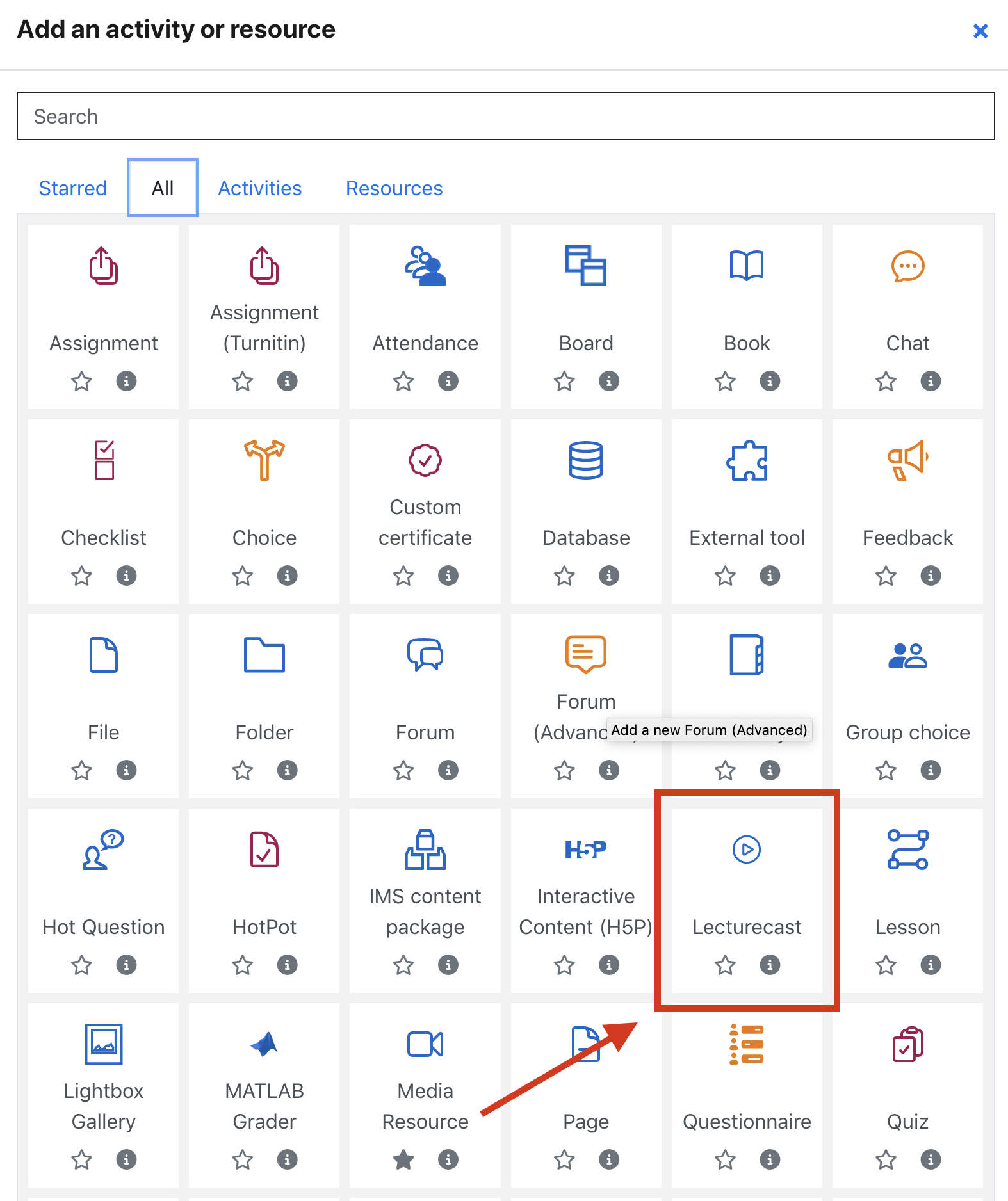
As we approach the busy part of the semester, we would like to share a few important reminders about using Lecturecast on Moodle. Recently, we’ve been receiving several questions from both teaching staff and students regarding access to videos and permissions. Below are some key points to ensure smooth access and a seamless experience for everyone. 

How do I get instructor access to my Lecturecast section(s)?

For a given course, Lecturecast activity link(s) need to be added within Moodle and then mapped to the appropriate Lecturecast section. Roles and associated rights within a Lecturecast section are assigned at the point of clicking through the link(s). Rights assigned are: 

Students and Non-editing Tutors on the Moodle course → Students on the linked Lecturecast section
Tutors and Course Administrators on the Moodle course → Instructors on the linked Lecturecast section 

You can find out how to link a Lecturecast section on a Moodle course in the Linking Moodle to Lecturecast training guides. 

Why can’t my students see any videos on Lecturecast? 

Another key point to keep in mind is that teachers must actively make Lecturecast videos available to students. Once a recording is uploaded, it won’t immediately be visible to students until the teacher selects the option to publish it. Make sure to double-check the video settings in Lecturecast to confirm that the content is properly shared with the class.

Additional Reminders 

  • If you have selected the ‘Auto available’ option on Lecturecast Scheduler when you schedule the capture, then your capture will be made available to your student automatically when your capture has been processed. 
     
  • If you have entered Lecturecast (Echo360) through Moodle, you most likely follow a Moodle LTI activity link that puts you on the course section page that is associated with the Moodle course. If you have logged into Lecturecast (Echo360) directly, then you will be on the ‘Media Library’ page, then you will need to click on the ‘Courses’ tab and select the course tile to access the course section page.  

Please visit this wiki page (Learning Lecturecast Basics) to get a basic understanding of how to navigate around Lecturecast (Echo360). 

Update on the Moodle-SITS Marks Transfer Wizard

By Kerry, on 6 June 2024

Since the release of the Moodle-SITS Marks Transfer Wizard in March 2024, we have an important update for you. When selecting a source Moodle activity to transfer marks from, Moodle activities can now include a Grade Item or Grade Category from the Moodle Grade Book.

Previously, it was only possible to transfer marks from a single Moodle assignment, Quiz or Turnitin assignment to one or more than one assessment component in Portico.

From 6th June 2024, you will also be able to select a Grade Item that you have manually created in the Moodle Grade Book. In addition, you will be able to transfer marks from a Grade Category. This means that if you have set up a Category in the Grade Book which has its own aggregated grade calculated from its Grade Items, you can also transfer this grade to one or more than one assessment component in Portico.

Please ensure that the Grade Item or Category meet the following criteria before completing a marks transfer:

  • The mark is numeric (letter grades are not eligible) so the Grade type should be set to “value”.
  • The maximum value is 100.
  • The Grade display type is set to “Real” (other display types will not be recognised by Portico so the item or Category would not show up as a Source activity in the Marks Transfer Wizard). 

These developments were prioritised following user feedback during the pilot earlier this year. Our next priority will be to analyse requirements for SORAs, ECs, LSAs and other special cases.

You can access guidance on how to use Marks Transfer in our Wiki, which includes short screen recordings. There is now also a short Tour on Moodle for users getting started with the tool.

If you are experiencing issues with using the Marks Transfer Wizard, please check our FAQs (which are frequently updated) and if you are still unable to resolve your issue, you should contact the Digital Education Support team at digi-ed@ucl.ac.uk.

For any issues with Portico data, contact examboards@ucl.ac.uk or for issues with incorrect assessment set up, contact lifecycle@ucl.ac.uk.

For general feedback or suggestions on future developments, please contact your Faculty Champion.

Moodle-SITS Marks Transfer Pilot Update

By Kerry, on 9 February 2024

As some of you may be aware, a new Moodle integration is due to be released in the spring which has been designed and developed by the DLE Team to improve the process for transferring marks from Moodle to Portico. It is called the Moodle-SITS Marks Transfer Integration and we are currently trialing this with around 40 course administrators across the institution.

The pilot kicked off on 8 January and will run until 29 February 2024. The purpose of the pilot is to test the Moodle-SITS Marks Transfer Integration using the newly designed Marks Transfer Wizard and its marks transfer functionality that was developed following the Phase 1 Pilot, which took place with a very small group of course administrators at the end of last year. This wizard provides a more streamlined experience for end users by putting the core assessment component information at the centre of the tool which can then be mapped to a selection of Moodle assessments.

Pilot Phase 2 is the last pilot phase before an initial MVP (Minimal Viable Product) release into UCL Moodle Production in late March 2024. Currently, users can take advantage of the integration if the following criteria are met:

  1. They have used the Portico enrolment block to create a mapping with a Module Delivery on their Moodle course.
  2. Either of the following assessment scenarios is true:-
    1. Only one Moodle assessment activity is being linked to one assessment component in SITS.
    2. Only one Moodle assessment activity is being linked to multiple assessment components in SITS.
  3. An assessment component exists in SITS to map against.
  4. The Moodle assessment marks are numerical 0-100.
  5. The assessment component in SITS is compatible with SITS Marking Schemes and SITS Assessment Types.
  6. For exam assessments, the SITS assessment component is the exam room code EXAMMDLE.

The Marks Transfer Wizard currently supports the transfer of marks from one of the following summative assessment activities in Moodle:

  • Moodle Assignment
  • Moodle Quiz
  • Turnitin Assignment (NOT multipart)

We intend to collect feedback on the new Marks Transfer Wizard from pilot participants to improve the interface and workflow for a general UCL-wide release in late March 2024 and also to prioritise next step improvements and developments following the launch.

So far informal feedback has been very positive: users say the assessment wizard works well and will save them a lot of time. The pilot has also been useful for exploring where issues might arise with Portico records or Moodle course administration as well as for gathering frequently asked questions and advice on best practice which will feed into our guidance for wider rollout.

So what are the next steps? Well, we will continue to support our pilot participants until the end of February. In mid-February, the Marks Transfer Assessment Wizard will be updated with some interface improvements so participants will be able to feedback on these too. Towards the end of February, participants will be asked to complete a survey and some will take part in a focus group to help us evaluate the success of the MVP integration and to prioritise our plans for future developments. In addition, our Change Manager is working with us on a communications plan for wider release on UCL Moodle Production and is currently in the process of recruiting a network of champions to cascade guidance and best practice on Moodle-SITS Marks Transfer across UCL, as well as to help us to continue to gather feedback on the user experience. More information about this exciting new development will be available in the coming months!

Important Update: STACK upgrade and its impact on existing questions

By Aurelie, on 19 July 2023

The STACK Moodle plugin is getting an upgrade!

What is STACK?
STACK is a powerful system for creating and managing online assessments in mathematics, science, and related disciplines. It’s integrated into our Moodle platform, providing a seamless experience for creating complex, auto-graded questions.

The new version, STACK 4.4, was initially released in July 2022 and is now being implemented in our Moodle platform on Tuesday 25th July. This major update focuses on enhancing the performance and overcoming limitations of the previous systems, particularly in the Potential Response Tree (PRT) and Computer Algebra System Text (CASText) systems.

However, it’s important to note that the new version of STACK has become more stringent in terms of logic and syntax. As a result, certain questions may not function as they did before. This is due to the enhanced logic/syntax checks incorporated in the new version, aimed at improving the accuracy and consistency of STACK assessments.

We have conducted tests and identified the questions that may be affected by this change. These are listed in a report on our wiki (you need to be logged in with your UCL account to view the report). We understand that this may require adjustments to your current questions and apologise for any inconvenience this may cause.
We recommend reviewing and updating your questions as necessary to ensure they function correctly after the upgrade.

To help you navigate these changes, you can review the list of key issues that might arise and their solutions in the Release Notes.

As always, we’re here to support you during this transition. If you have any questions or need assistance, please don’t hesitate to reach out to the Digital Education team.

Thank you for your understanding and cooperation as we work to improve our Moodle platform and assessment tools.